---
title: what-is-scope-mode
description: Scope Mode lets you scan QR codes by aligning them with an effect at the center of the camera screen, enabling accurate reading of a specific code even when multiple QR codes are displayed.
---
[Skip to content](https://support.qrqrq.com/en-us/what-is-scope-mode#main-content)
- [English - United States](https://support.qrqrq.com/en-us/what-is-scope-mode)
- [日本語](https://support.qrqrq.com/ja/what-is-scope-mode)
English - United States
Show submenu for translations

Open main navigation
Close main navigation
- - [English - United States](https://support.qrqrq.com/en-us/what-is-scope-mode)
- [日本語](https://support.qrqrq.com/ja/what-is-scope-mode)
English - United States
Show submenu for translations
- Contact us
Contact us
How can we help you?
- There are no suggestions because the search field is empty.
1. [QRQR](https://support.qrqrq.com/en-us?hsLang=en-us)
2. [QRQR - QR Code Reader](https://support.qrqrq.com/en-us/qrqr-qr-code-reader?hsLang=en-us)
3. [How to use](https://support.qrqrq.com/en-us/qrqr-qr-code-reader?hsLang=en-us#how-to-use)
# what-is-scope-mode
#### What is "Scope mode"?
Scope mode is a function that reads a QR code by overlaying it on the effect part in the center of the camera screen.

When there are multiple QR codes on the screen, Scope mode can be used to read them without misinterpretation.
| Default Mode | Scope Mode |
| --- | --- |
| 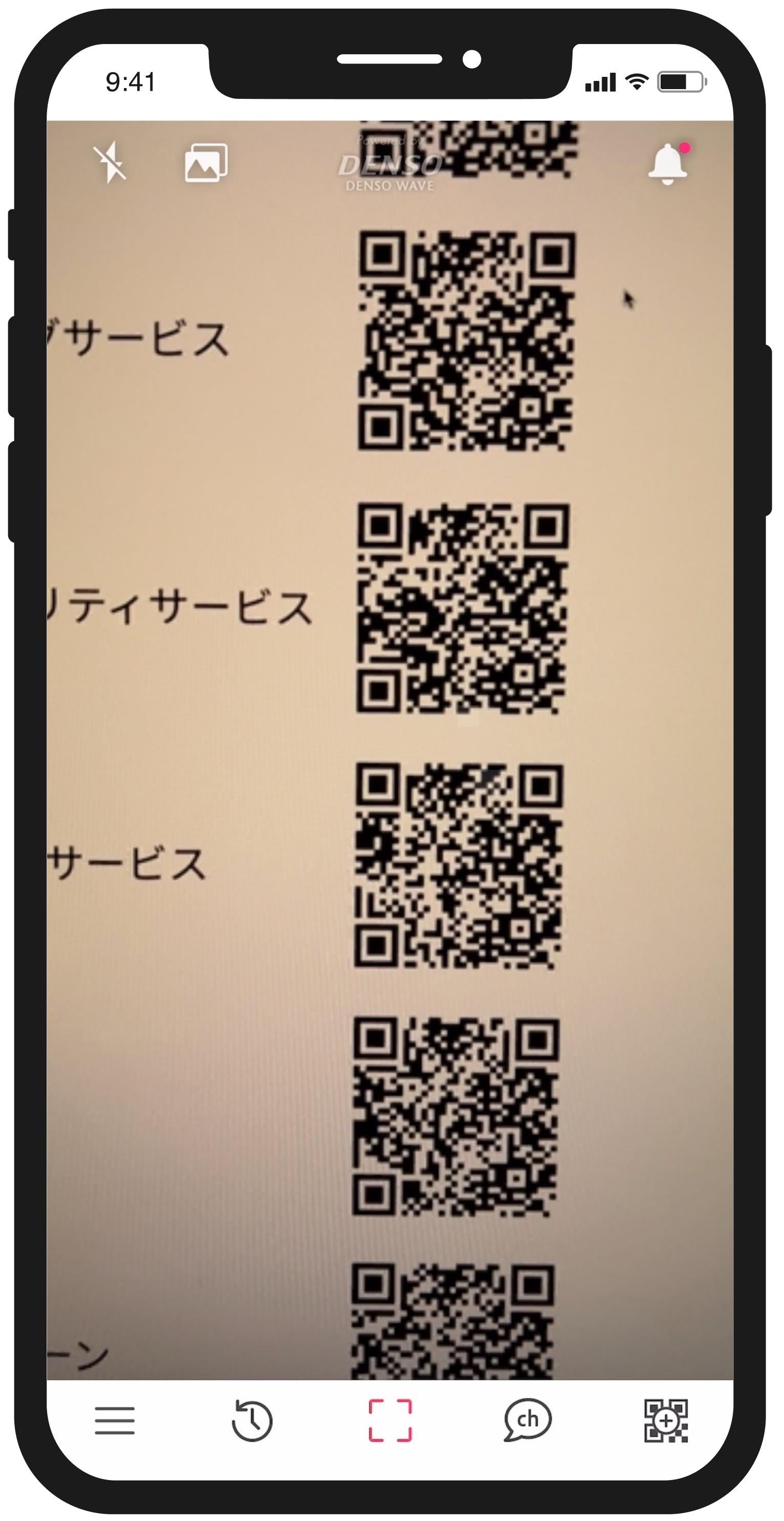 | 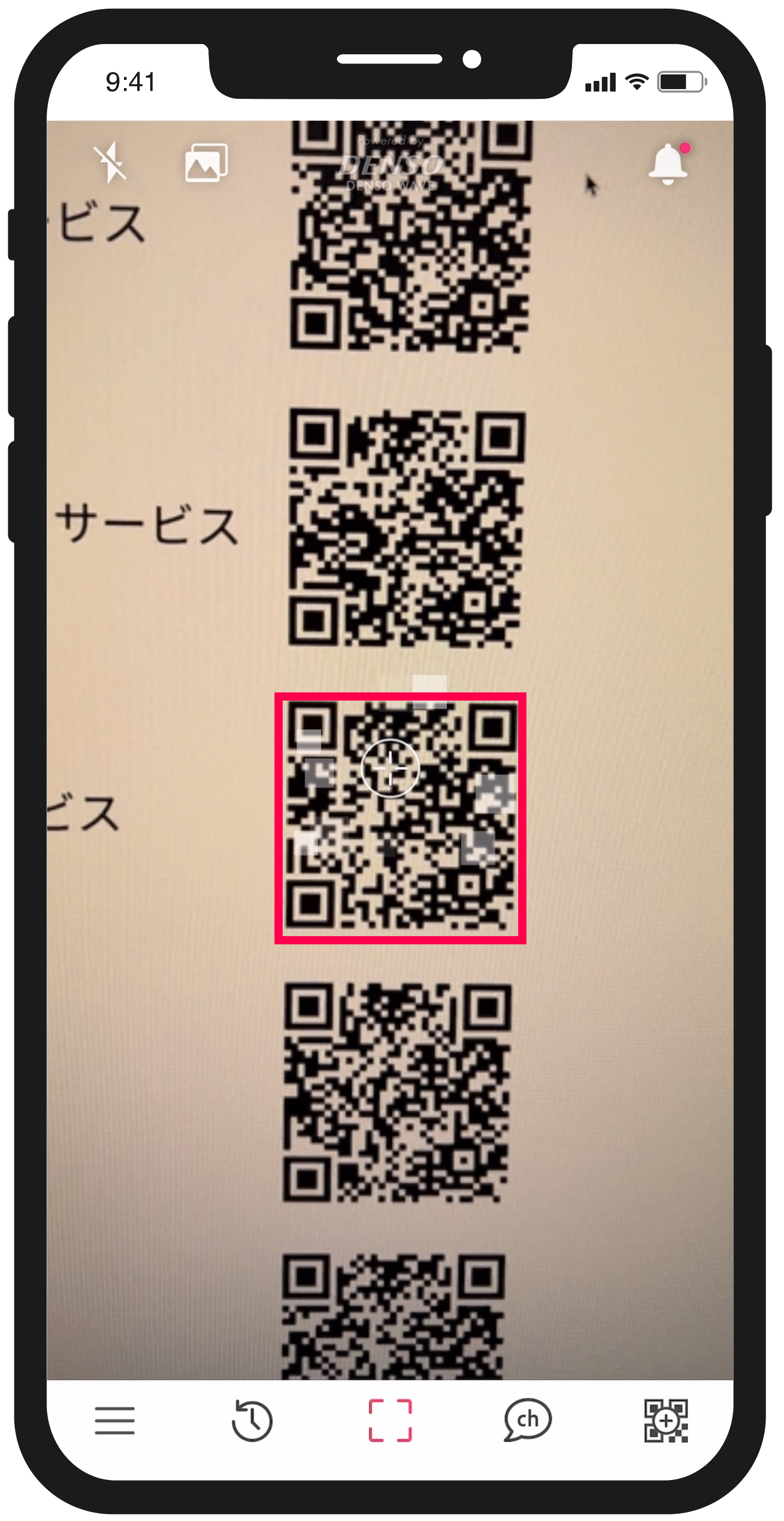 |
| It is not clear which QR code is being read. | It is possible to pinpoint targeted QR code. |
#### How to set up
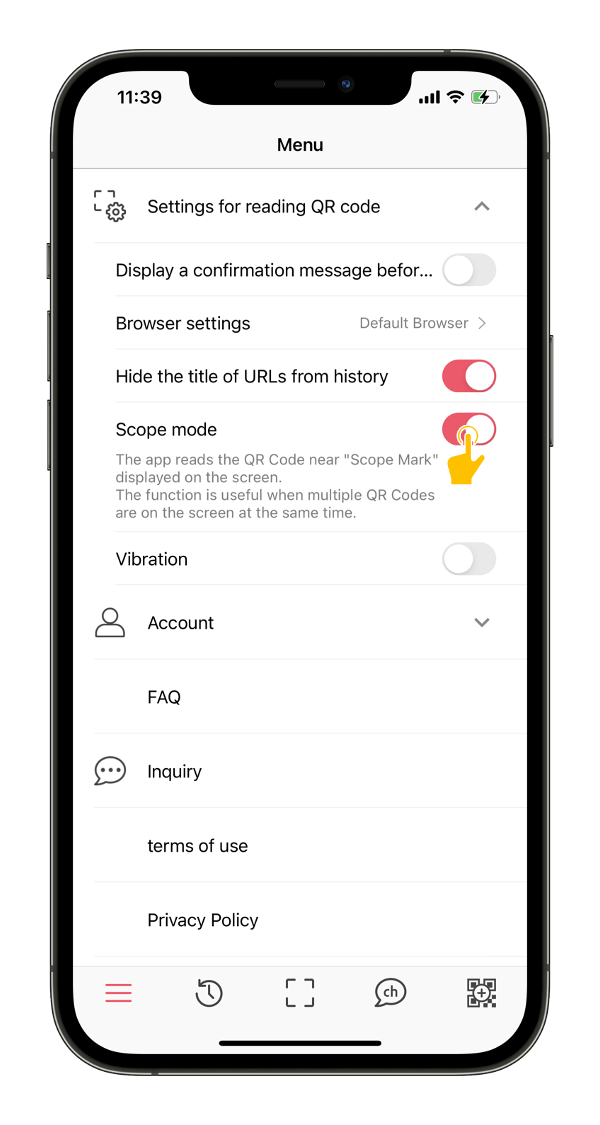
If you wish to switch the scope mode on or off, you can do so by following the steps below.
1\. Tap the "Settings" button at the bottom left of the screen

2\. Turn on "Scope Mode" under "Settings for reading QR code"
- [QRQR - QR Code Reader](https://support.qrqrq.com/en-us/qrqr-qr-code-reader?hsLang=en-us#main-content)
- [How to use](https://support.qrqrq.com/en-us/qrqr-qr-code-reader?hsLang=en-us#how-to-use)
- [Troubleshooting](https://support.qrqrq.com/en-us/qrqr-qr-code-reader?hsLang=en-us#troubleshooting)
[](http://www.arara.com)
[mailto:email@email.com](mailto:email@email.com)
Copyright 2022 arara inc.